Automation-suite
A web control panel to run and review n8n automation workflows, starting with an AI assisted authoring tool for Czech learning content.
Context
I run a growing set of n8n automations. Triggering them from the n8n editor and reading their output by hand does not scale, and anything an AI step produces needs a person's decision before it becomes real content. Automation-suite is the control panel for that: a module registry on top of n8n where each module can trigger a workflow, follow the run, and hold the result until someone approves it. The first module is Czech Course Builder, an authoring platform for Czech lessons and mock exams whose published output is meant to be imported by a Czech learning app that does not exist yet.
What I built
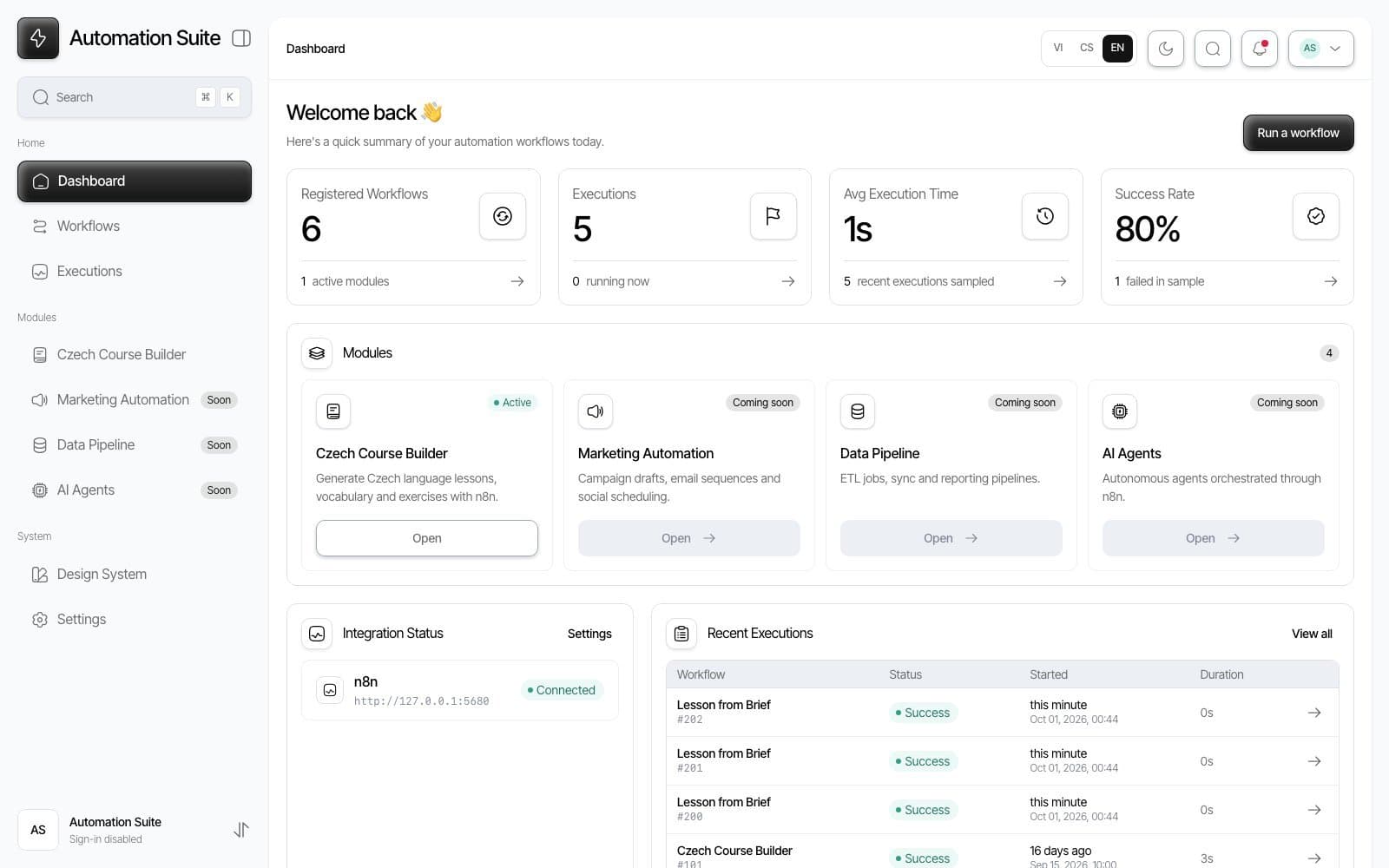
- A Next.js 16 dashboard over the n8n REST API: registered workflows, an execution log with status, duration and error, health of the n8n connection, and a form per workflow that posts to its webhook.
- An asynchronous job pipeline: every trigger writes a job row first, n8n calls back to
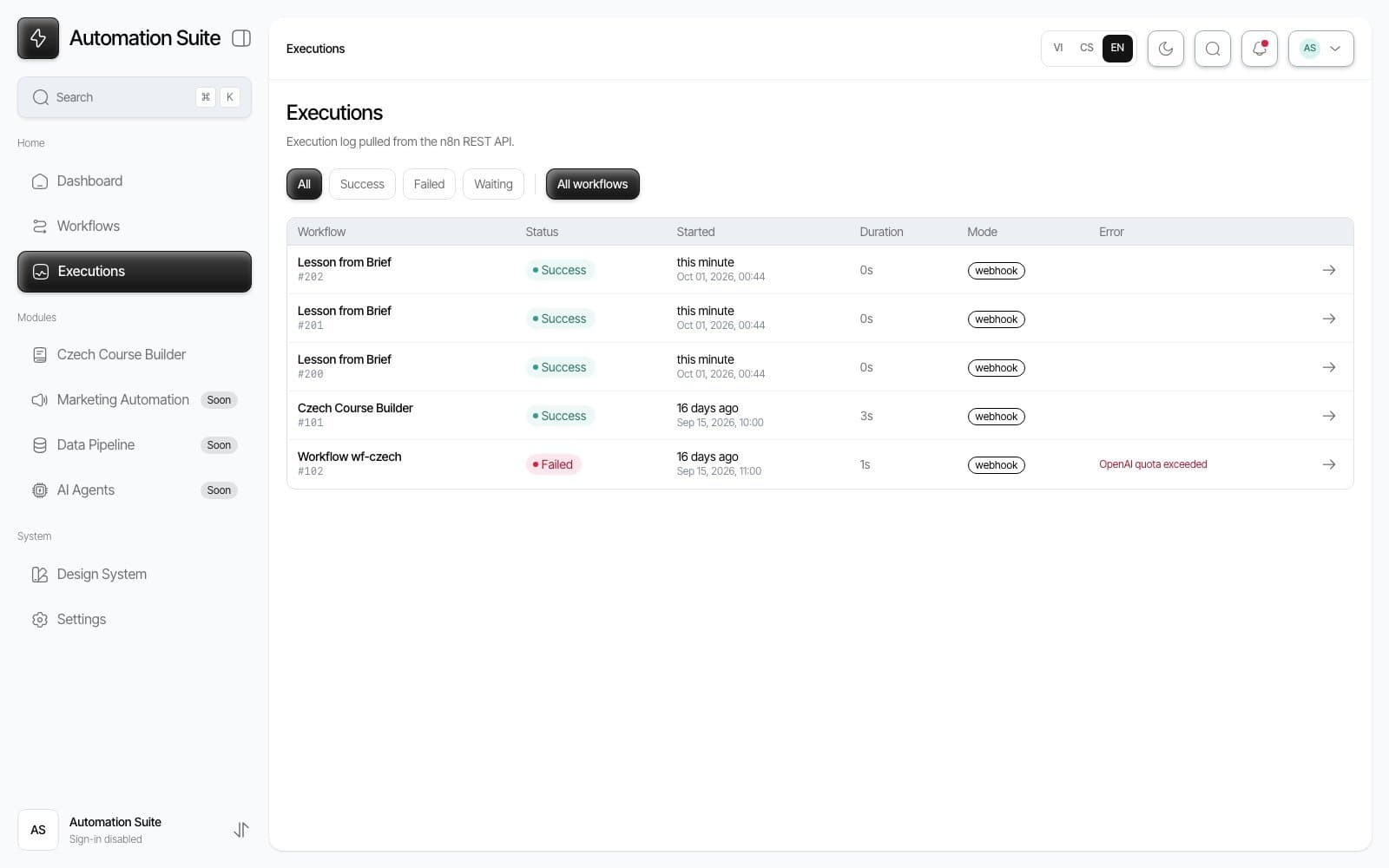
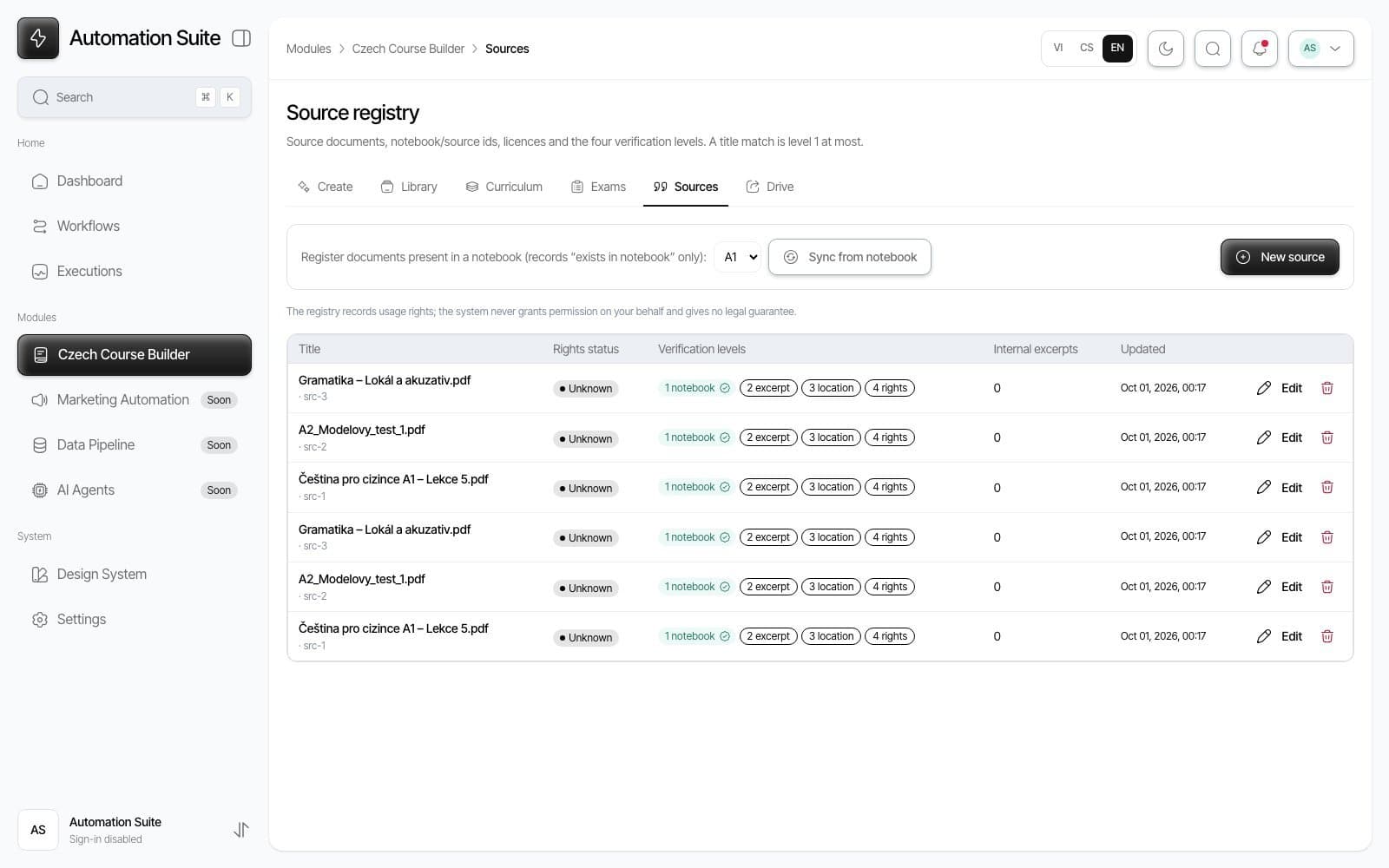
/api/jobs/:id/completewith a shared secret, callbacks are idempotent, and a sweeper marks jobs without a callback after 15 minutes as failed. - Czech Course Builder: curriculum frames from A1 to C1 with units and lesson briefs, lessons generated from approved briefs through NotebookLM, exam profiles and blueprints with per task generation through a model API, a source registry with rights review, a structured editor with revisions and publish validation, and Google Drive export with a manifest.
- An import contract for the future learning app: versioned JSON and Markdown per published revision, checksums, a manifest written last, and a reference grading module the app can port line by line.
- Google sign in with an email allowlist, a per user rate limit on generation to protect the NotebookLM quota, and a UI in Vietnamese, Czech and English through next-intl with a cookie, no URL prefix.
- Docker images and a deployment runbook for Oracle Cloud behind Caddy, migrations applied on boot, and an embedded PGlite database so the whole thing runs locally with one command and no accounts.
Highlights
Humans decide, AI drafts
Nothing an AI step produces can reach the learning app on its own. A lesson brief starts as a draft and has to be approved by a person before the generate button works; the generated lesson lands in the library as a draft with automatic review notes, moves to in review, and can only be published when validation passes, with every issue anchored to the JSON path of the field that caused it. Editorial state and Drive state are kept apart: a revision counts as synced only when both its Markdown and JSON have a Drive id, and the manifest is written last from database state, so the importer never sees a half written package. Completion handlers are idempotent per job, so a callback delivered twice replaces what the same job produced instead of duplicating it, and a late callback never overwrites content a person has already edited.
One panel for every workflow
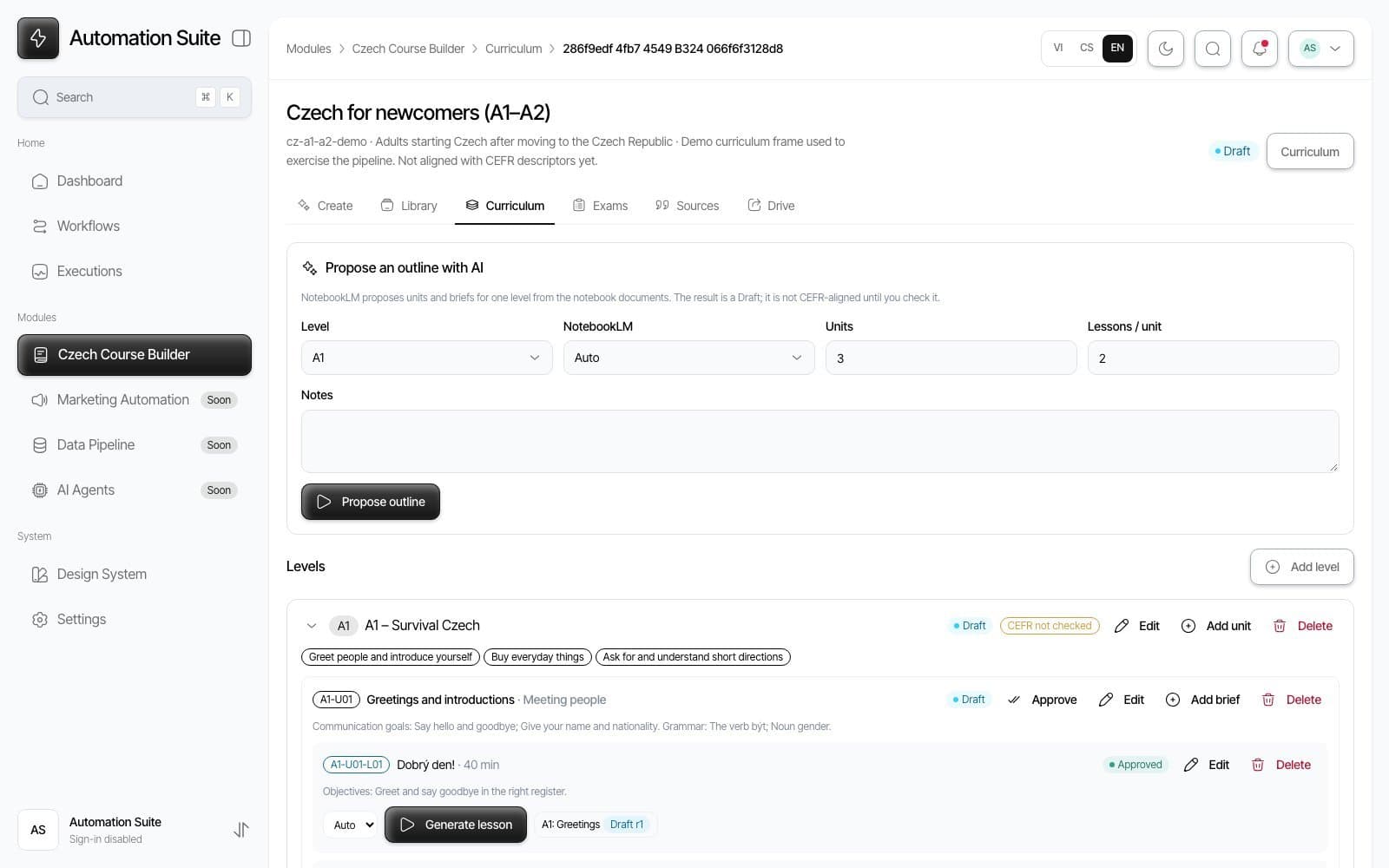
Workflows are a typed registry, not configuration in n8n: each entry names its webhook path, its module, its form fields and their translation keys, and optionally the n8n workflow id that enables execution lookups. The n8n client is server only; the browser talks to the app's own routes, which apply the rate limit, resolve the right NotebookLM notebook for the level server side, and start the job. The execution log is read from the n8n REST API and shown with the same status vocabulary as the app's own jobs, so a failed model call and a stale callback look the same to the person reviewing. The whole flow can be exercised without any real account: mock n8n, mock NotebookLM and mock Drive servers replay the real workflows, including duplicate callbacks, missing callbacks and provider errors, and an end to end script checks the acceptance criteria of the content platform against them.
Content built for a product that does not exist yet
The data model is written for the importer, not for the editor. A curriculum is levels, units and briefs with objectives, prerequisites and review items, so a generated lesson is linked to what a learner should already know. Sources live in a registry with four verification levels and a rights status, and only permitted, reviewed sources are exported with their attribution. Every published revision becomes a package with a schema version, a stable content id that doubles as the Drive folder name, a checksum and, for exams, a separate learner version without the answer key. Exam blueprints mirror the structure of the real certification exams, section by section, and a task whose numbers are not verified against the official document blocks a full mock exam but still allows section practice.
Result
Seven build phases from the first dashboard to the deployment kit, about 16,000 lines of TypeScript, six unit test suites and a mocked end to end run that covers the content platform's acceptance criteria. The exam generator runs against a real model through n8n; NotebookLM and Google Drive are proven against mocks and wait for the real accounts.
What I learned
Building the mocks before the integrations was the best decision in the project: every failure mode of n8n, NotebookLM and Drive is a fixture I can replay, so the app was hardened before a single real account existed. Designing the export for a consumer that does not exist forced the useful constraints, a stable id, a checksum and a manifest written last, that a first version written for the editor alone would have skipped.
Next project
Popcorn Group